 Hush Minutes
Hush Backup
Encrypted backup of the folders that matter, into storage you already have. Files are encrypted on your Mac first, and only your 24-word recovery card can open them.
For Mac (macOS 14 or later), in English and Spanish. US$14.99 once: no account, no subscription. Coming soon to the Mac App Store.
What it does
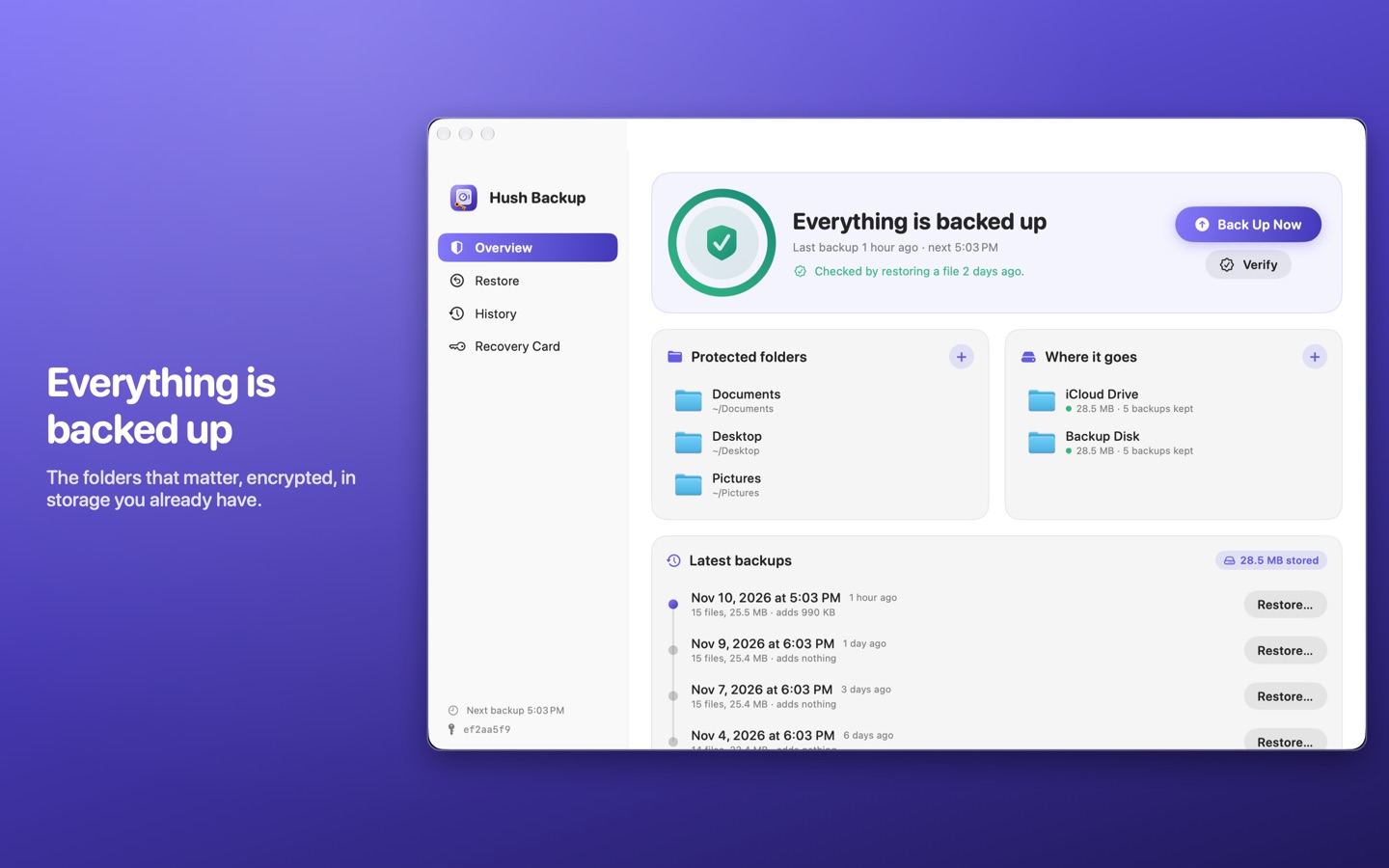
- Backs up the folders you choose into iCloud Drive, Google Drive, OneDrive, Dropbox, an external disk or a NAS. Use several at once.
- Encrypted before it leaves your Mac. Your storage provider holds only scrambled pieces with meaningless names. It cannot see a file name, let alone a file.
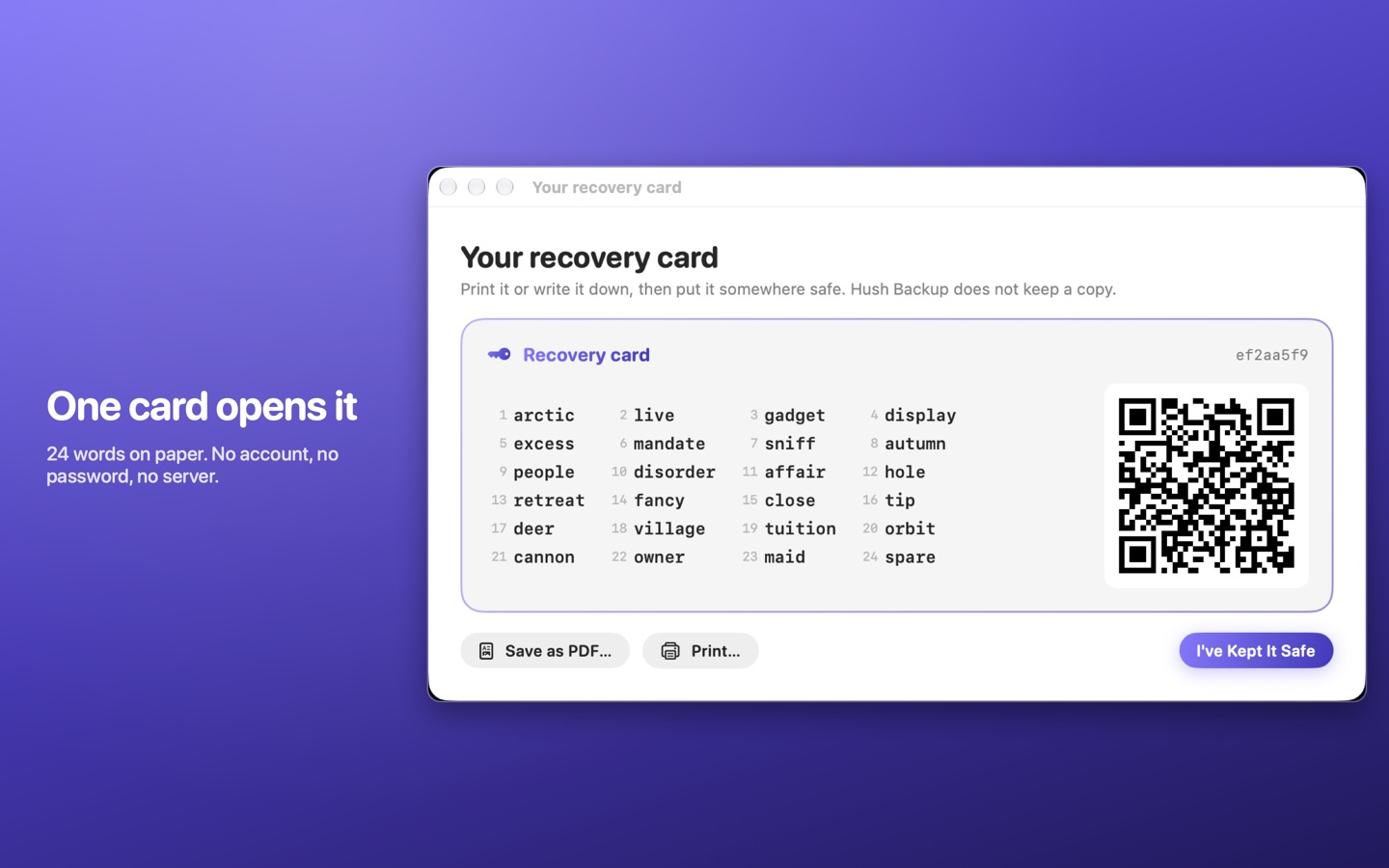
- One card opens it. Your key is 24 words and a QR code on a card you print or write down. No account, no password, no server.
- Every hour or once a day. Only what changed is uploaded, and an edit to a large file sends only the part you changed.
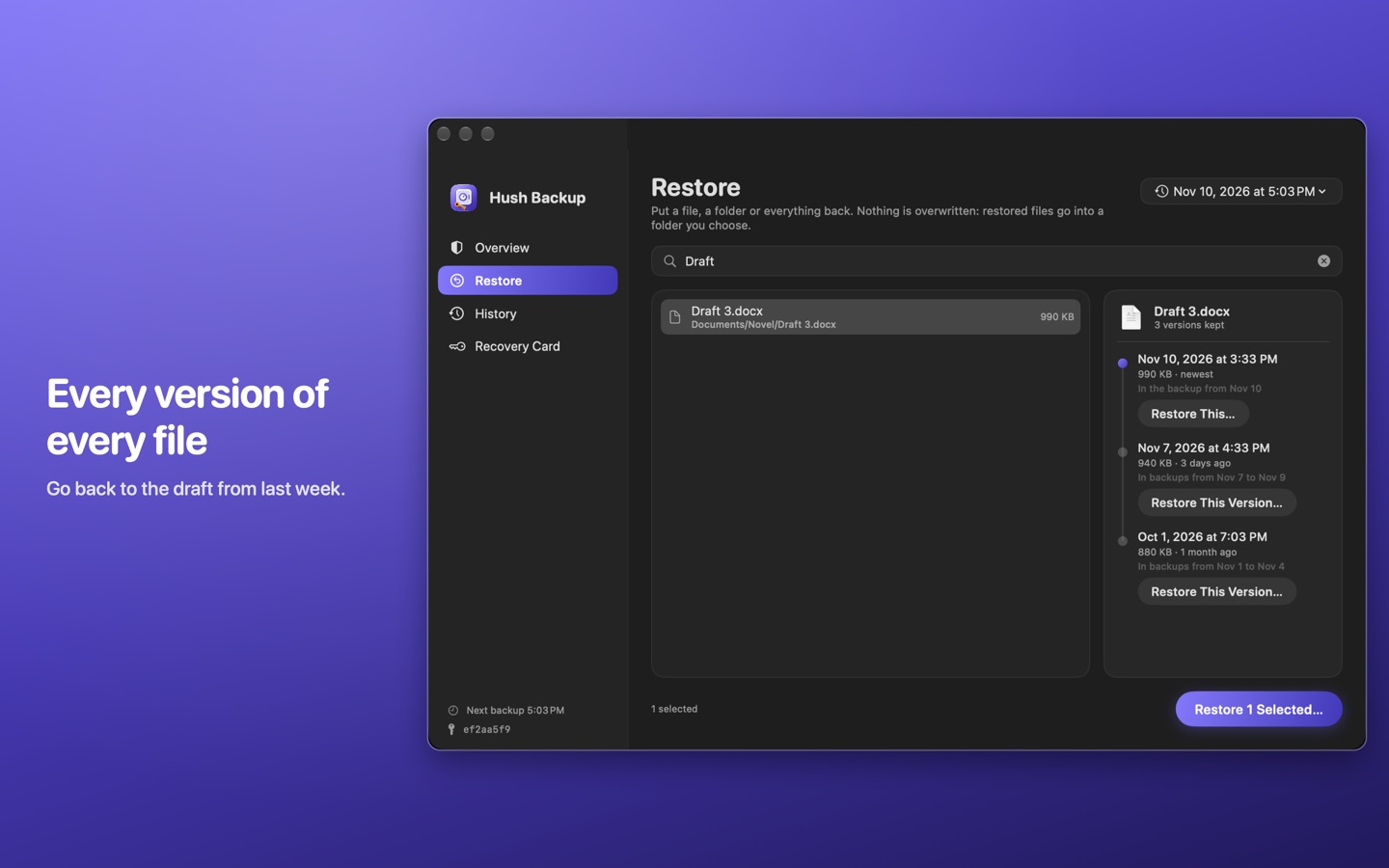
- Go back in time. Restore a file, a folder or everything. Find a file by name, see every version that is still kept, and bring back the one you want.
- It checks itself. Once a week it restores a file to prove the backup works.
Good to know
- Keep the card safe. If you lose the card and the Mac, nobody can open the backup, including us. That is what keeps it private.
- Moving to a new Mac. Choose "I Have a Recovery Card" and type the 24 words back in.
- It protects the folders you choose, not the whole system. Keep using Time Machine if you want a full-disk backup.
- Scheduled backups run while the app is open; it can open when you log in.
- For Google Drive, OneDrive and Dropbox, install the provider's Mac app and choose its folder. The provider's app does the syncing.
Windows and Linux
Your files are not tied to your Mac. A free restore tool for Windows and Linux will read the same backup with the same card: it lists what is in the backup, restores files and checks the backup. It cannot make backups. The restore tool is coming soon, and it will be offered on this page.
Privacy
The App Store version has no permission to use the network, can open only the folders you pick, and cannot change the folders it backs up. There is no account, no analytics and no advertising, and the App Store lists it as Data Not Collected. Read the full Hush Backup privacy policy.
Support
Write to support@hushminutes.com or use the contact form, and say it is about Hush Backup. A person answers. Never send us your 24 words or a picture of your card: we do not need them, and nobody who asks for them is us.
- I lost my card. If the Mac that made the backup still works, open Hush Backup, click Recovery Card in the sidebar, click Show the Card, then Print or Save as PDF. It is the same card: the same 24 words, QR code and fingerprint. If the card is lost and that Mac is gone too, the backup cannot be opened by anyone.
- A backup did not run. Scheduled backups run while the app is open. Check the destination is connected and that the provider's app is signed in and syncing.
- The backup is not showing on my other computer. Your provider's app copies the files; give it time to finish syncing.
- Refunds. Purchases are made through Apple, and Apple handles refunds at reportaproblem.apple.com.