 Hush Minutes
Hush Counsel
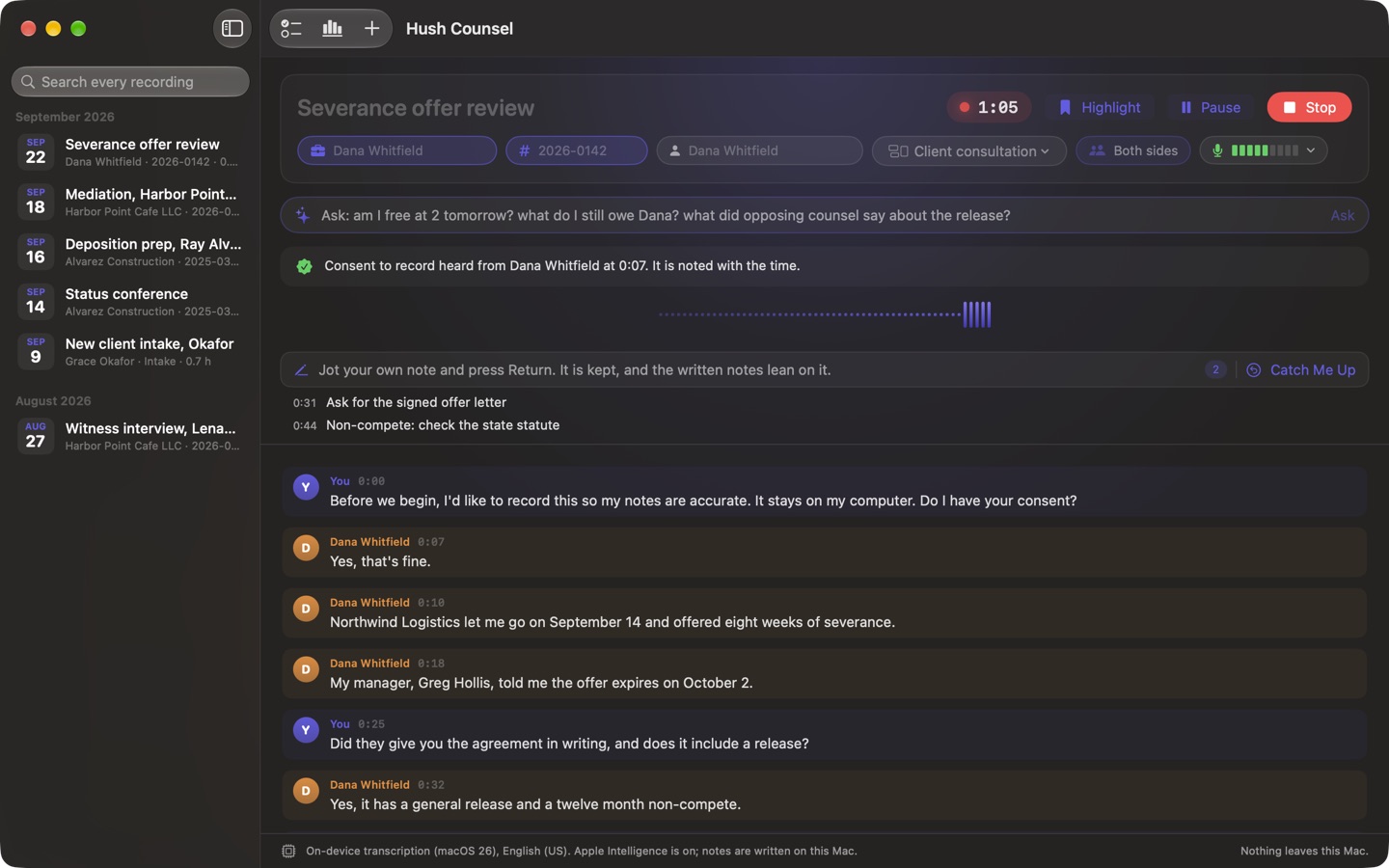
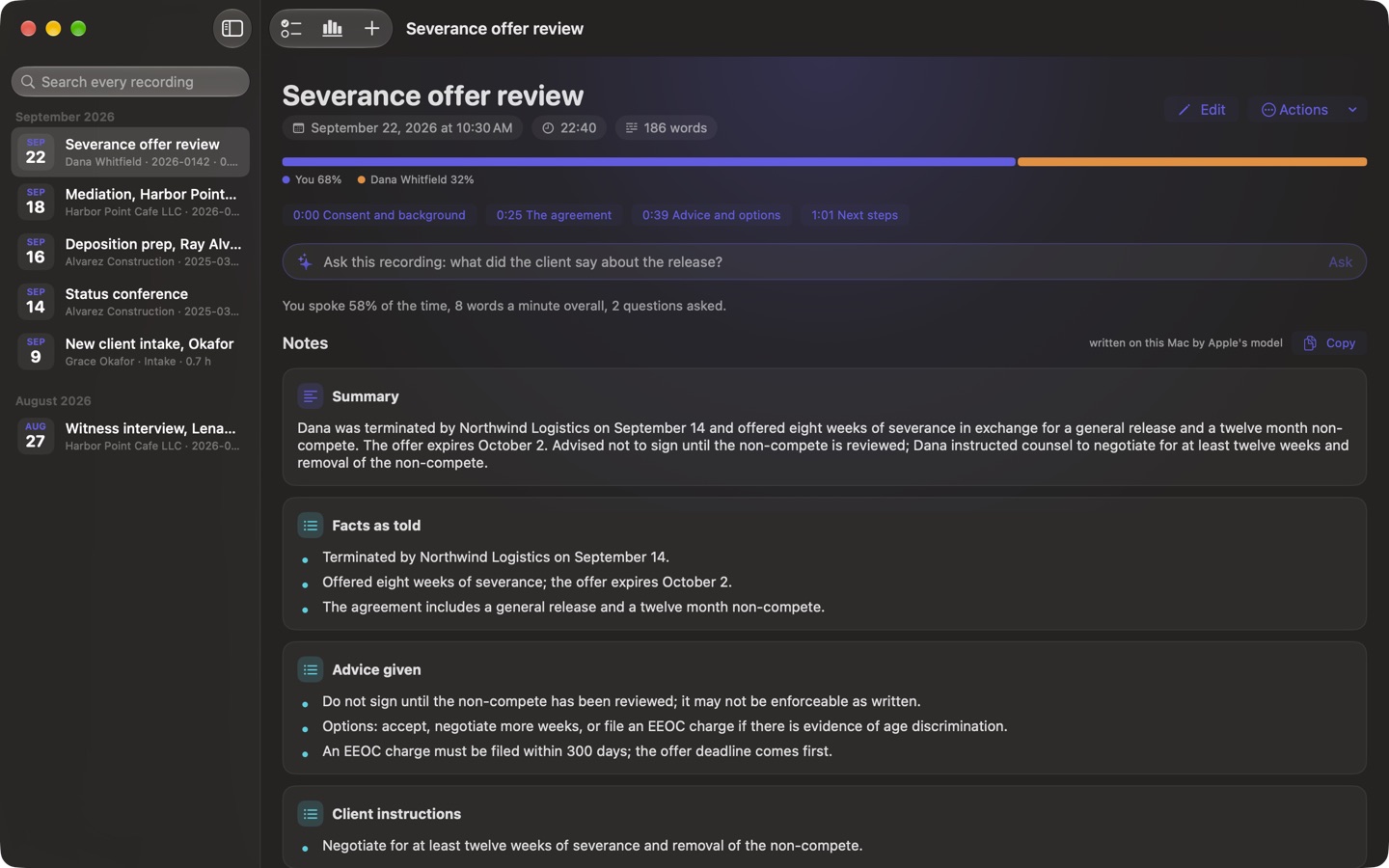
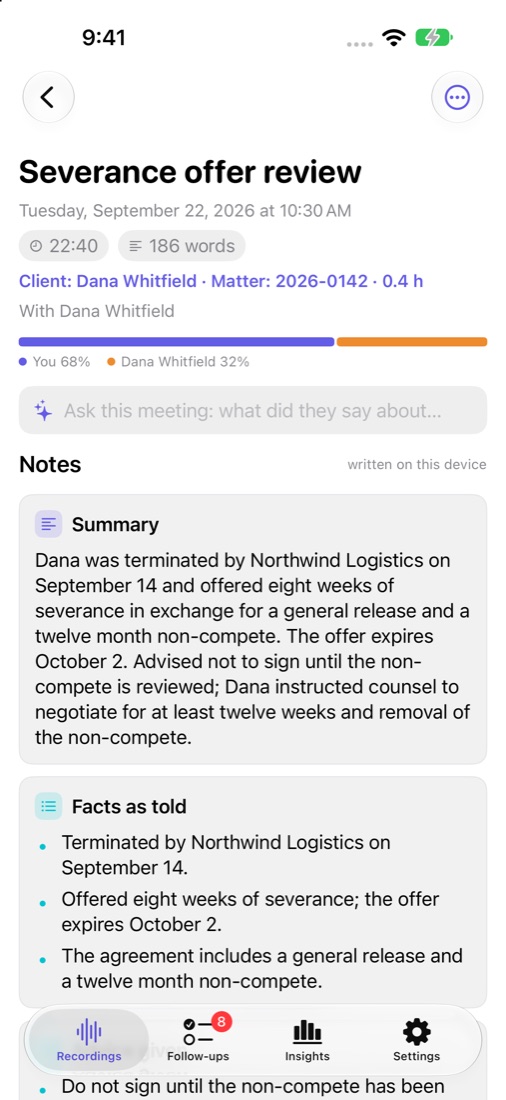
For lawyers. Client calls, interviews and negotiations transcribed and written up on your Mac, iPhone or iPad, never sent to an AI service. When you stop: the time entry, the consent, every deadline said, and the names for a conflict check.
For Mac (macOS 14 or later), iPhone and iPad (iOS 26 or later). US$49.99 once, for all three: no account, no subscription. Coming soon to the App Store.
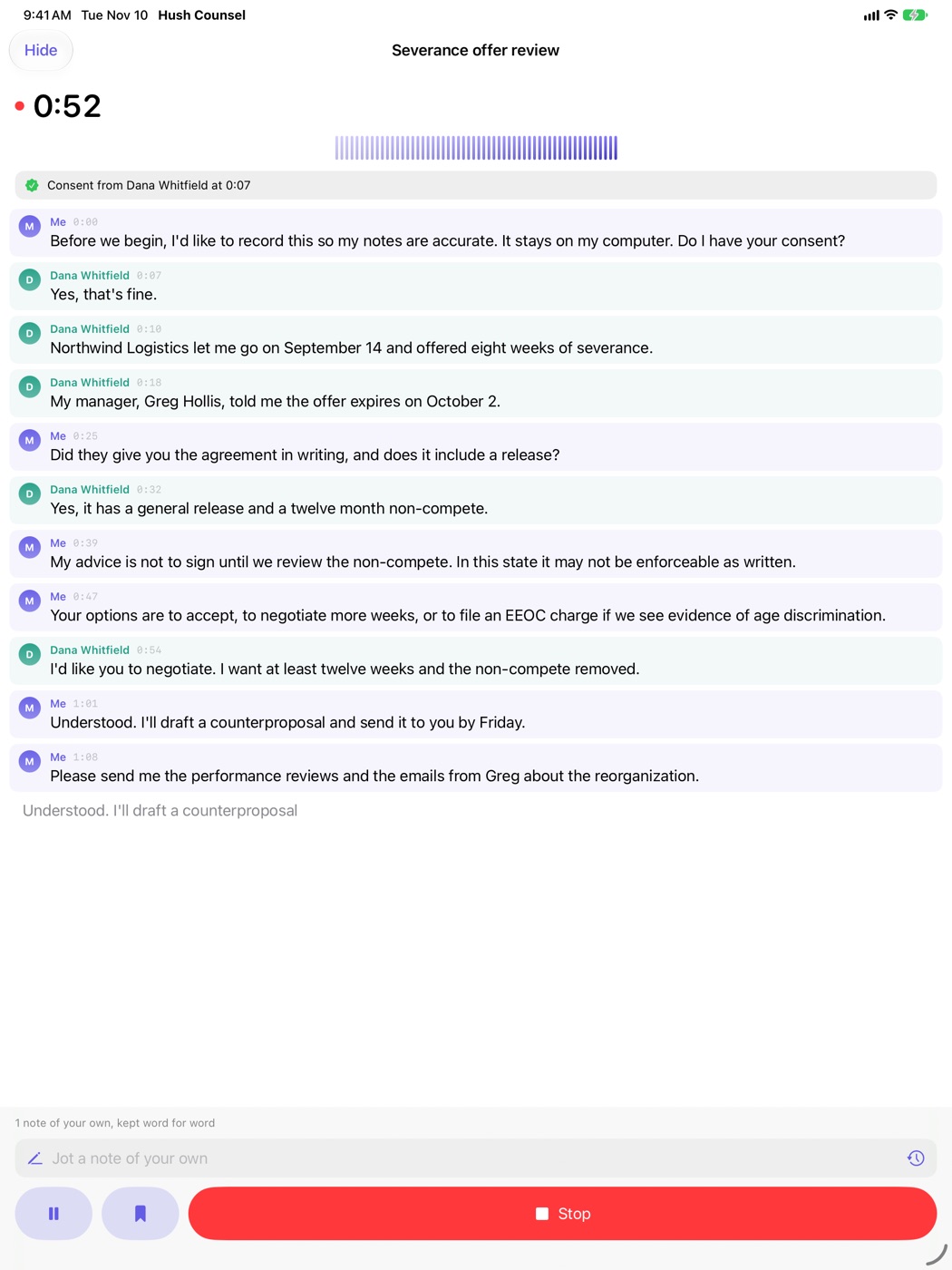
When you stop recording
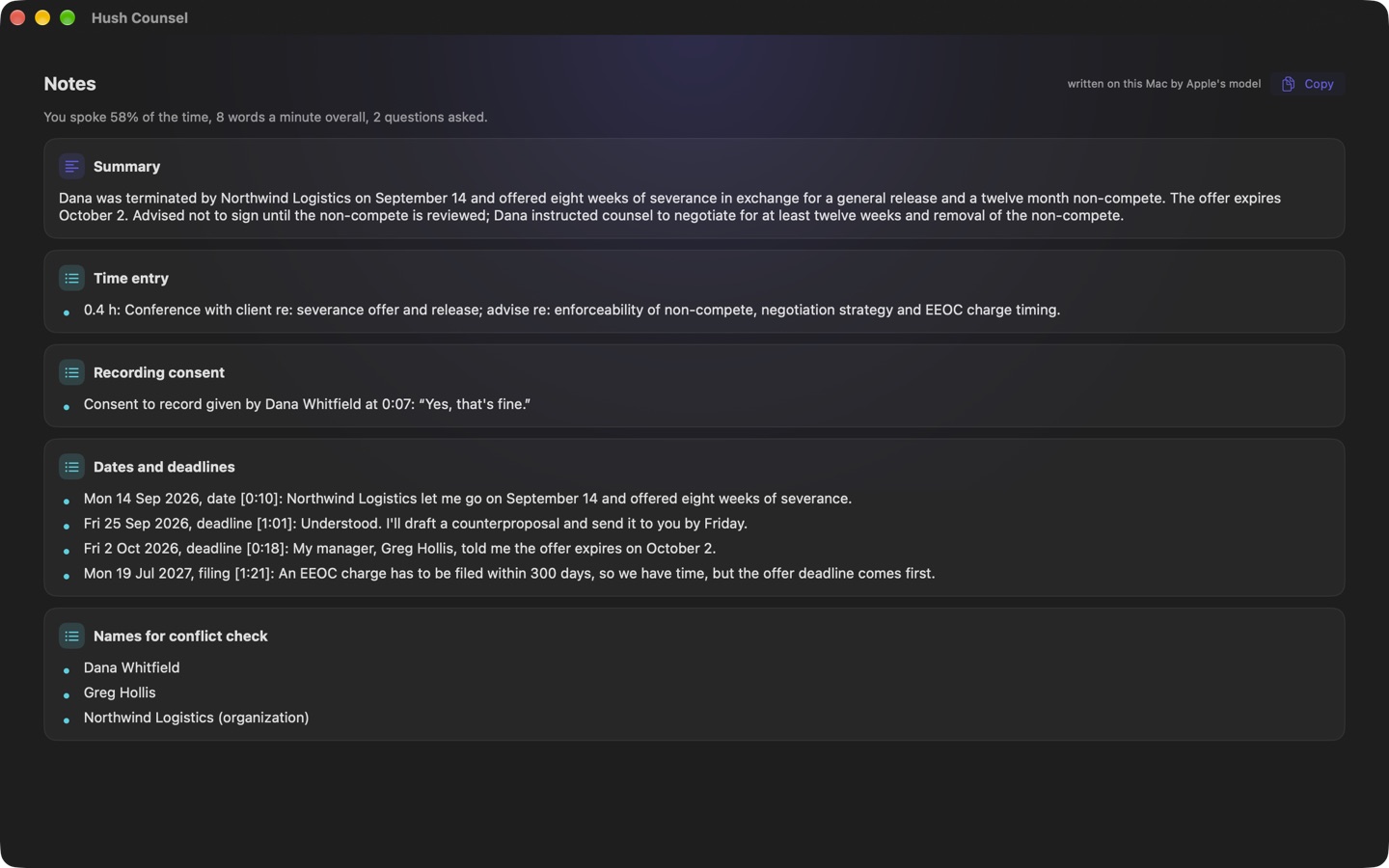
- A time entry. Rounded up to tenths of an hour, or to 10 or 15 minutes, with a billing description drafted on your device. Export your time entries as CSV.
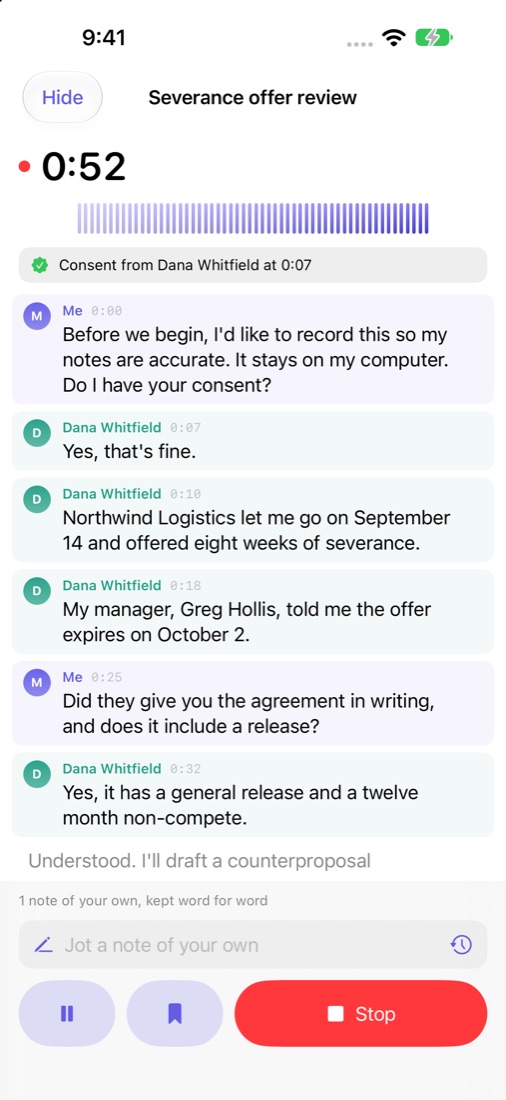
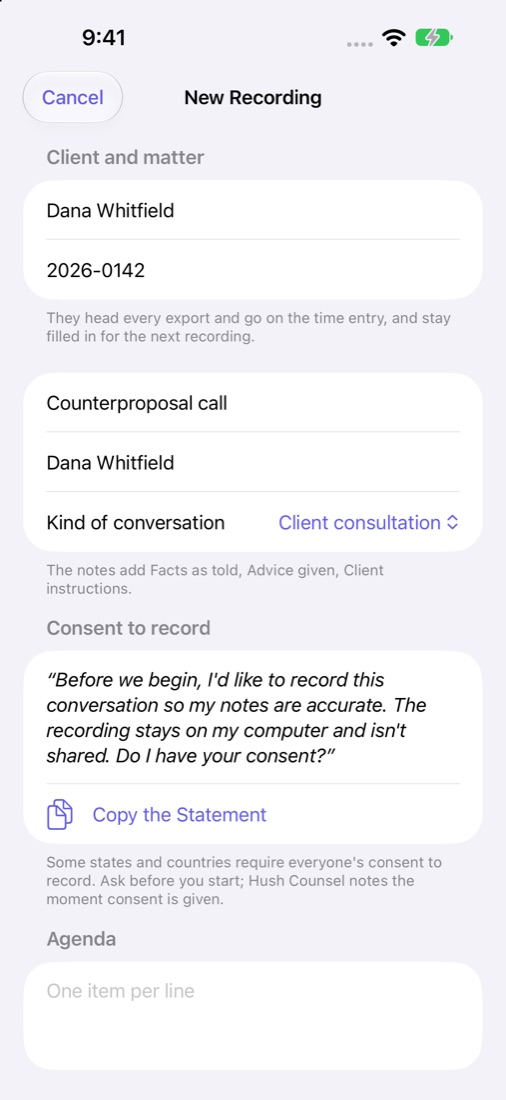
- Consent, noted. A statement to read before you start. It notes who consented and when, a refusal, or that no consent was heard.
- Every date and deadline said, worked out from the day it was said. Add the ones you choose to Calendar.
- Names for a conflict check.
Made for a practice
- Client and matter on every recording.
- Kinds of conversation shape the notes: consultation, intake, witness interview, deposition prep, negotiation or mediation, hearing, and case strategy.
- Both sides of a call, on the Mac. Your microphone and the other side of a video or phone call are transcribed separately, so each line says who spoke.
- In the room, on iPhone and iPad. Put it on the table for a meeting or interview. An iPhone or iPad cannot hear the other side of a phone or video call; use the Mac for calls.
- A privilege legend with client and matter on every page of every PDF and text export.
- Page and line numbers. Export a transcript with numbered pages and lines, 25 to a page, to cite by page:line.
- Touch ID or Face ID lock, and redaction. Redact a name everywhere it appears, or list words that are never written down.
Written notes and the drafted time entry are best with Apple Intelligence turned on (macOS 26 or iOS 26); without it, simpler rules pick out the notes. Hearing the other side of a call needs the Screen Recording permission, which is how macOS lets an app hear what the Mac plays; no picture of your screen is used.
Hush Counsel is a note-taking tool, not legal advice. Check every date against the rule or order. Whether a recording is privileged is for you to judge, and so is whether you may record: get consent where the law requires it.
Privacy
Hush Counsel transcribes and writes its notes on your Mac, iPhone or iPad and nowhere else. The App Store version makes no network connection. There is no account, no analytics and no advertising, and the App Store lists it as Data Not Collected. Read the full Hush Counsel privacy policy.
Support
Write to support@hushminutes.com or use the contact form, and say it is about Hush Counsel. A person answers. Never send a recording, a transcript or anything about a client; a description of the problem is enough.
- Nothing is being transcribed. Check Hush Counsel is allowed the microphone (on a Mac in System Settings, on iPhone and iPad in Settings, under Privacy and Security, Microphone), and that the level meter moves when you speak.
- It does not hear the other side of a call. On a Mac, switch on "Both sides" before you record and allow Screen Recording when macOS asks. An iPhone or iPad cannot hear the other side of a call.
- The notes are plain. Written notes and the drafted billing description need macOS 26 with Apple Intelligence switched on.
- Refunds. Purchases are made through Apple, and Apple handles refunds at reportaproblem.apple.com.