 Hush Minutes
Hush Sessions
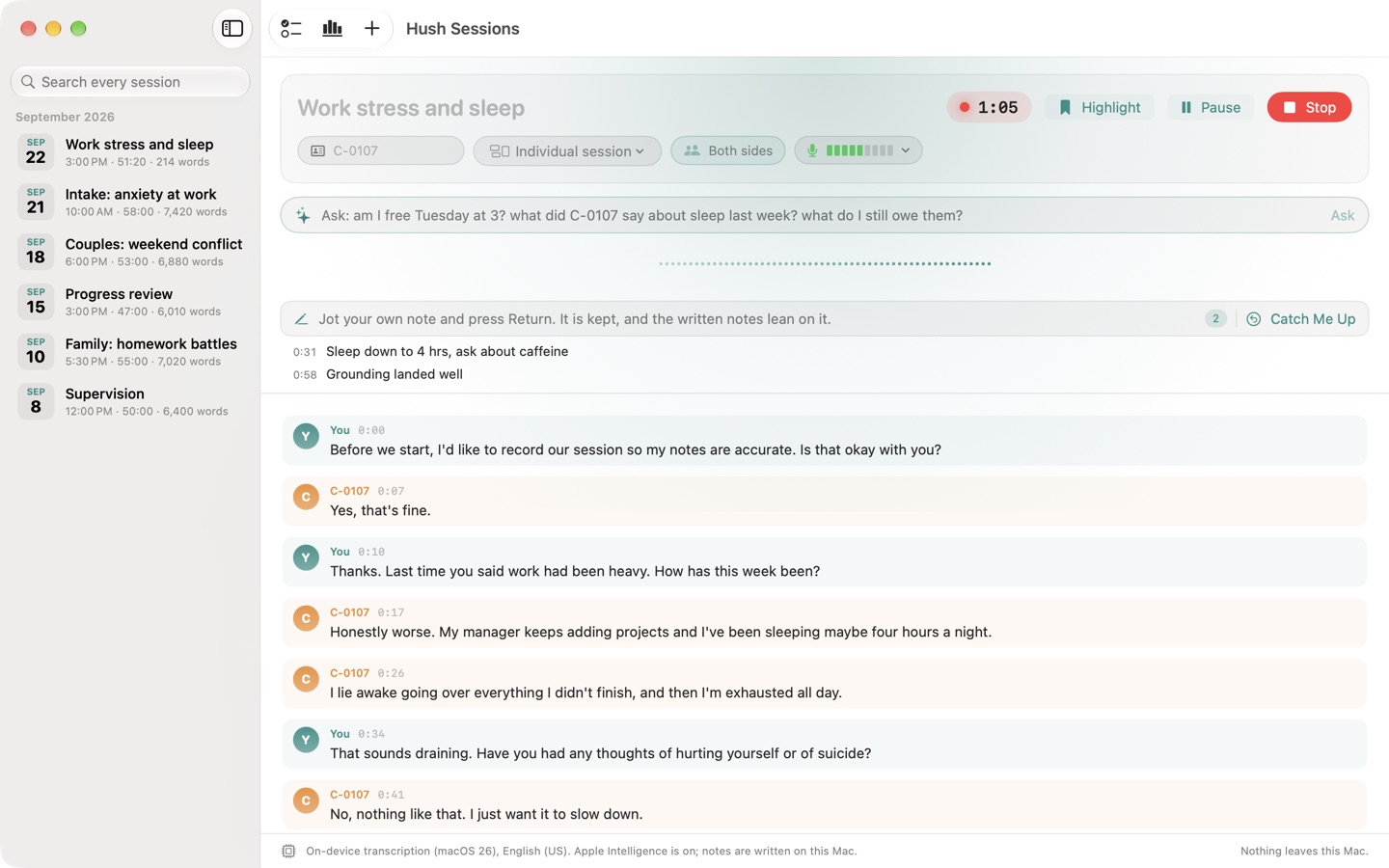
For therapists, counsellors and psychologists. The session is transcribed on your Mac, iPhone or iPad, never sent to an AI service. When you stop: a SOAP, DAP or BIRP draft to review, and risk language flagged with who said it and when.
For Mac (macOS 14 or later), iPhone and iPad (iOS 26 or later). US$49.99 once, for all three: no account, no subscription. Coming soon to the App Store.
When you stop recording
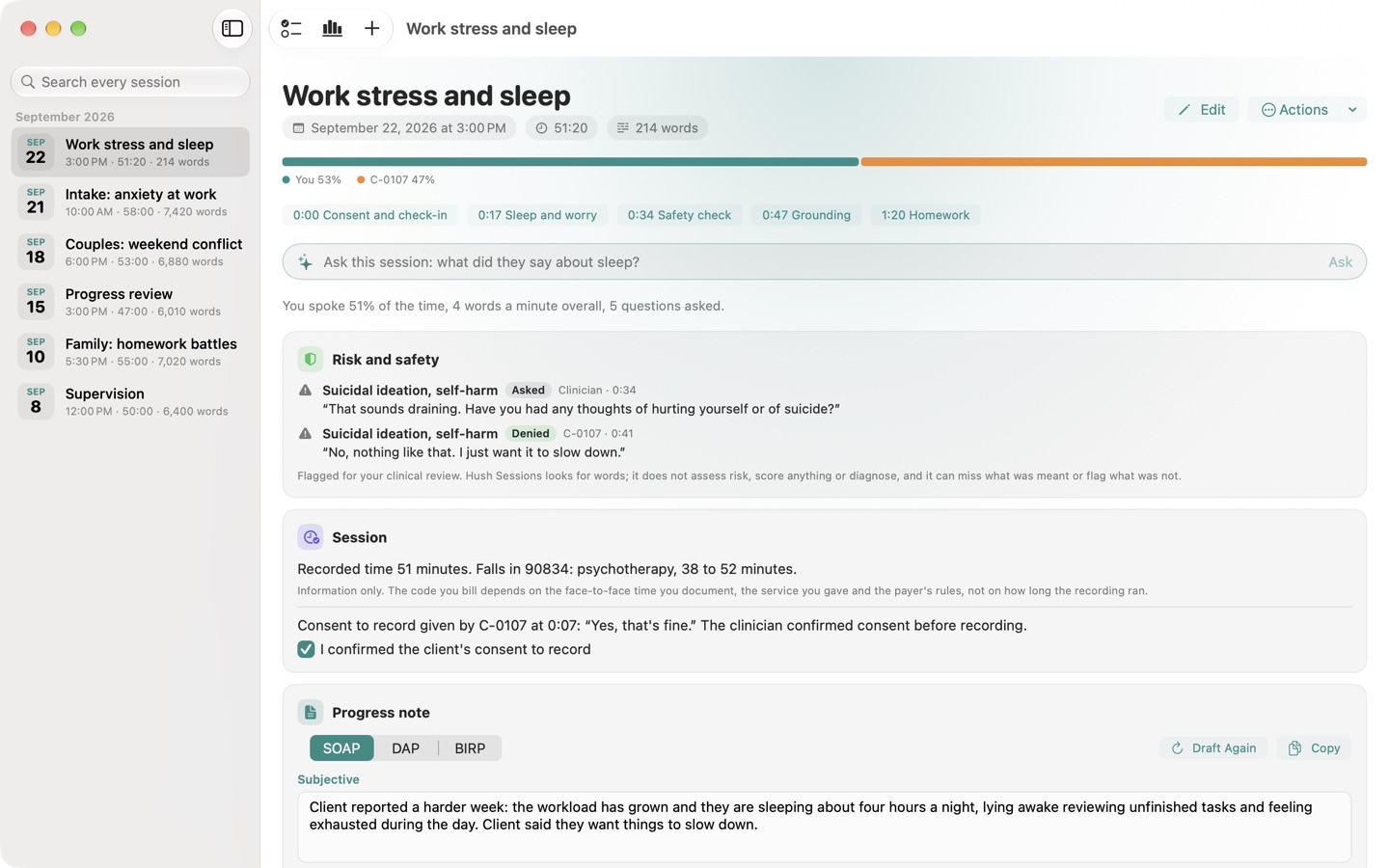
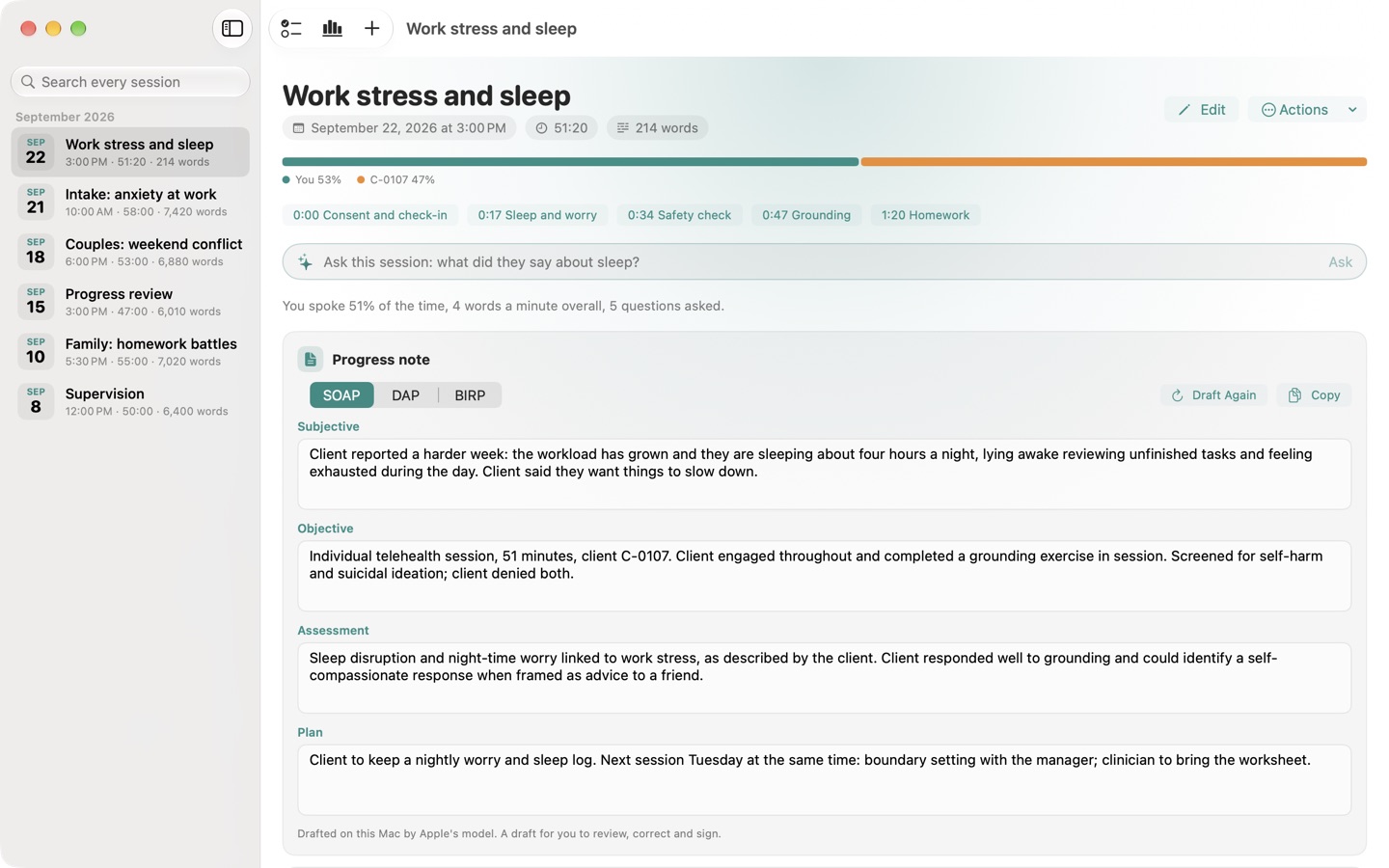
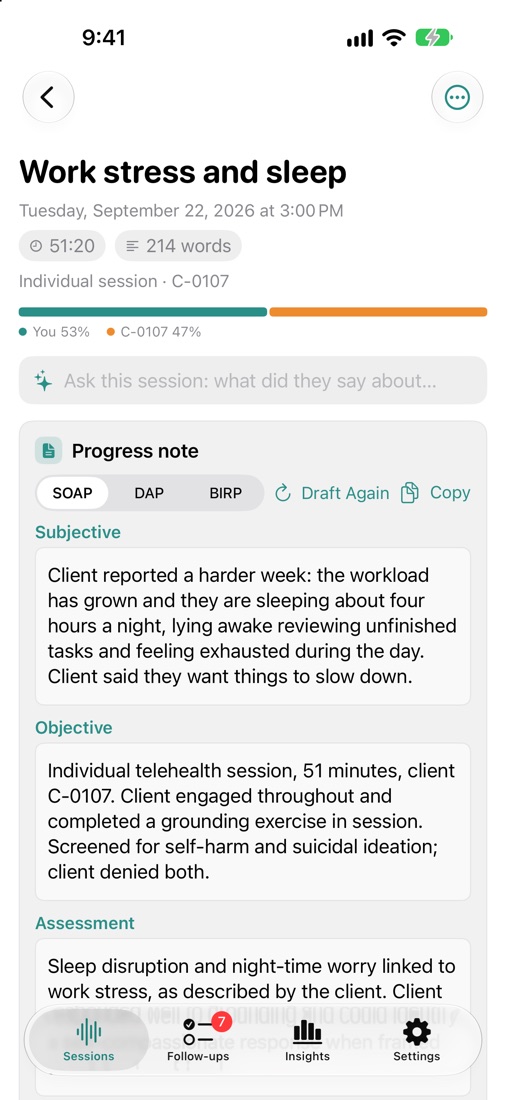
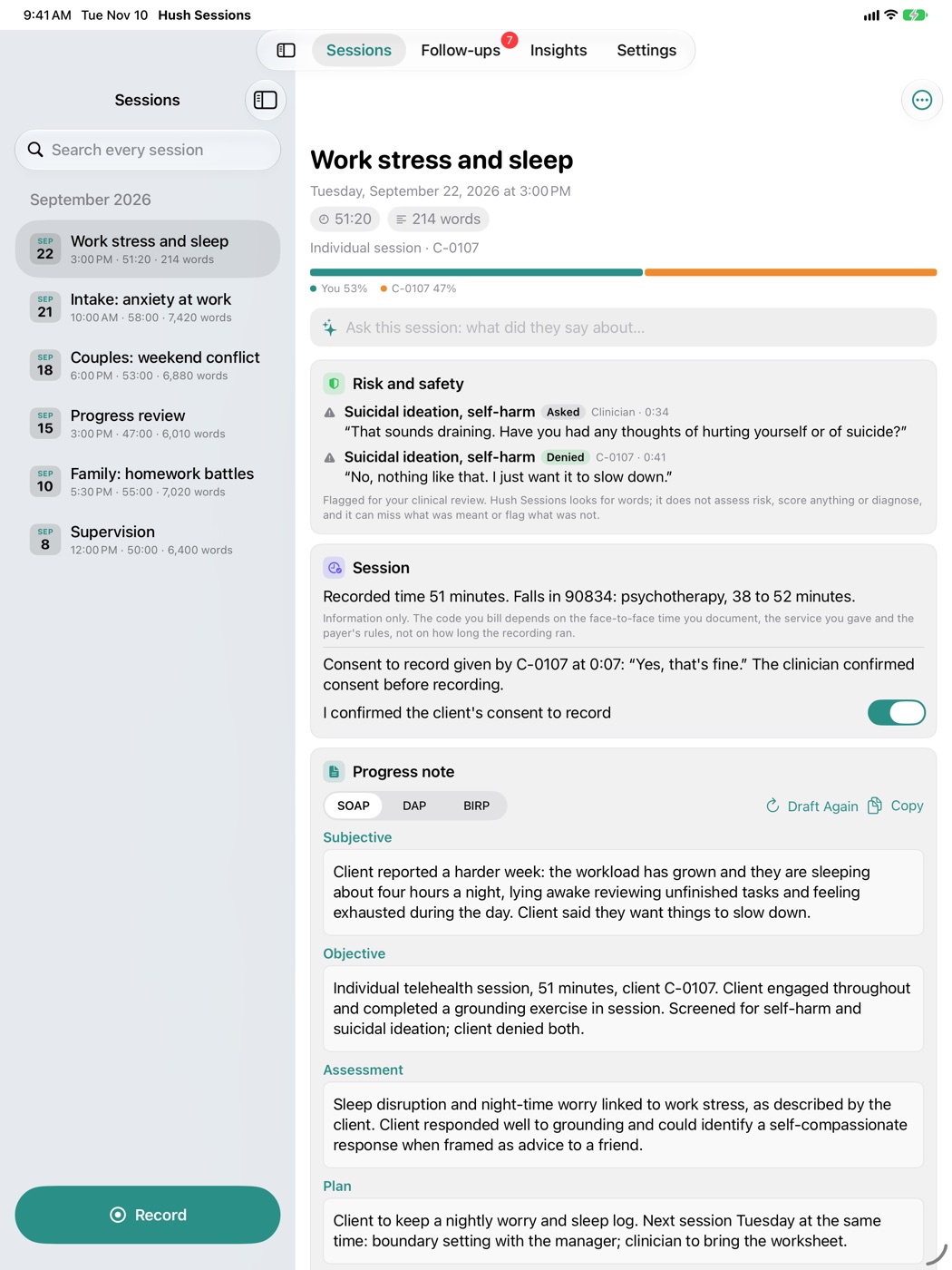
- A progress note, drafted. SOAP, DAP or BIRP, in the third person, from what was actually said. Every section is yours to edit. A sentence naming a disorder that nobody said in the session is left out.
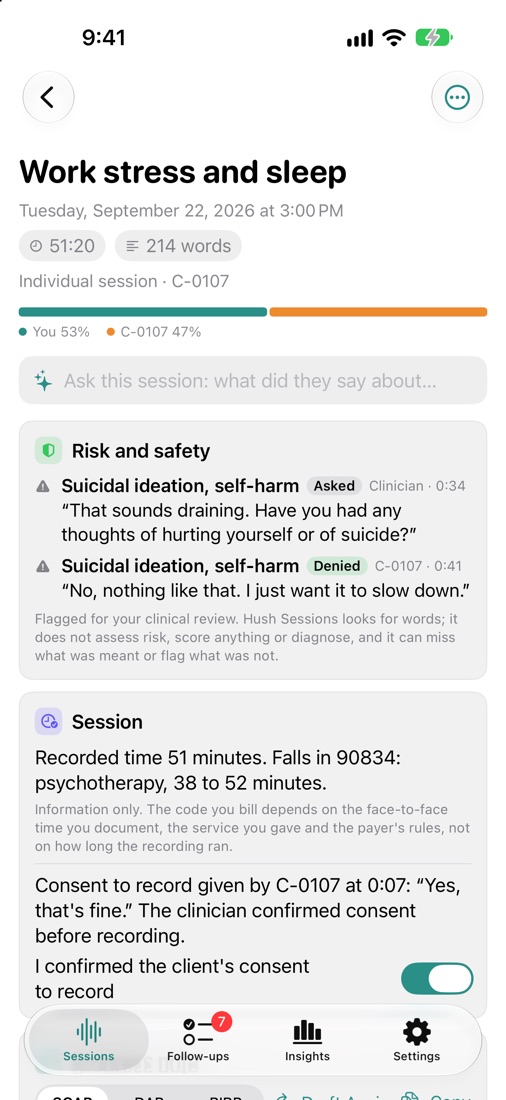
- Risk and safety language, listed. Mentions of suicide, self-harm, harm to others, abuse or neglect, and access to means, each with who said it, when, and whether it was said, denied or asked about.
- Consent to record, noted. Words to say before you start, a switch to confirm the client agreed, and the moment consent was heard.
- Session length. The recorded time and the time band of the psychotherapy codes it falls in, such as 90834 for 38 to 52 minutes. Information only: the code you bill is your decision.
Made for a practice
- Client codes, not names. Give each client a code and it stands in for their name on every line and note. Names said aloud become [name] in anything you copy or export.
- Kinds of session shape the notes: intake, individual, couples, family, group, progress review, crisis, and supervision or consultation.
- Before the next session. Open a client's code and see what was left open: homework, what you promised to bring.
- Both sides of a video call, on the Mac. Your microphone and the client's side of a telehealth call are transcribed separately. No bot joins the call.
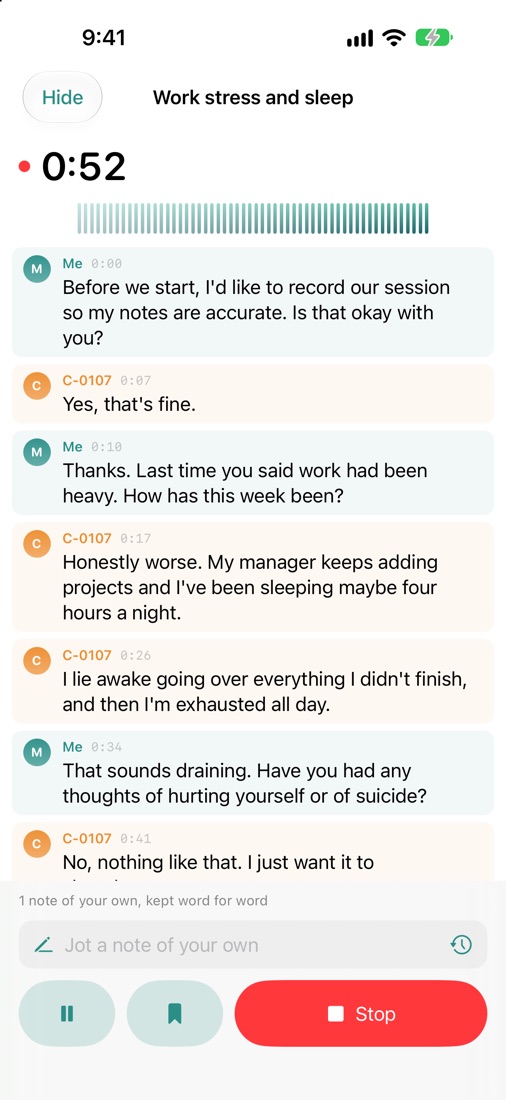
- In the room, on iPhone and iPad. One microphone hears everyone and voices are told apart. An iPhone or iPad cannot hear the other side of a video call; use the Mac for telehealth.
- Locked from the first launch with Touch ID or Face ID, or your password or passcode.
- Audio is not kept after it is transcribed, unless you ask.
Live transcription and the drafted progress note are best with Apple Intelligence turned on (macOS 26 or iOS 26); without it, simpler rules assemble the notes and the app says so. Hearing the other side of a call needs the Screen Recording permission, which is how macOS lets an app hear what the Mac plays; no picture of your screen is used. The app is in English.
Hush Sessions finds words. It does not assess risk, score anything, diagnose or give medical advice, and it can miss what was meant or flag what was not: clinical judgement stays with you. It is a note-taking tool, not a records system, and it makes no claim of compliance with HIPAA or any other rule. You remain responsible for how your practice keeps and shares clinical records. Get your client's consent before recording.
Privacy
Hush Sessions transcribes and writes its notes on your Mac, iPhone or iPad and nowhere else. The App Store version makes no network connection. There is no account, no analytics and no advertising, and the App Store lists it as Data Not Collected. Read the full Hush Sessions privacy policy.
Support
Write to support@hushminutes.com or use the contact form, and say it is about Hush Sessions. A person answers. Never send a recording, a transcript, a note or anything about a client; a description of the problem is enough.
- Nothing is being transcribed. Check Hush Sessions is allowed the microphone (on a Mac in System Settings, on iPhone and iPad in Settings, under Privacy and Security, Microphone), and that the level meter moves when you speak.
- It does not hear the client on a video call. On a Mac, switch on "Both sides" before you record and allow Screen Recording when macOS asks. An iPhone or iPad cannot hear the other side of a call.
- The progress note is plain. The drafted note needs macOS 26 or iOS 26 with Apple Intelligence switched on.
- Refunds. Purchases are made through Apple, and Apple handles refunds at reportaproblem.apple.com.