 Hush Minutes
Hush Charts
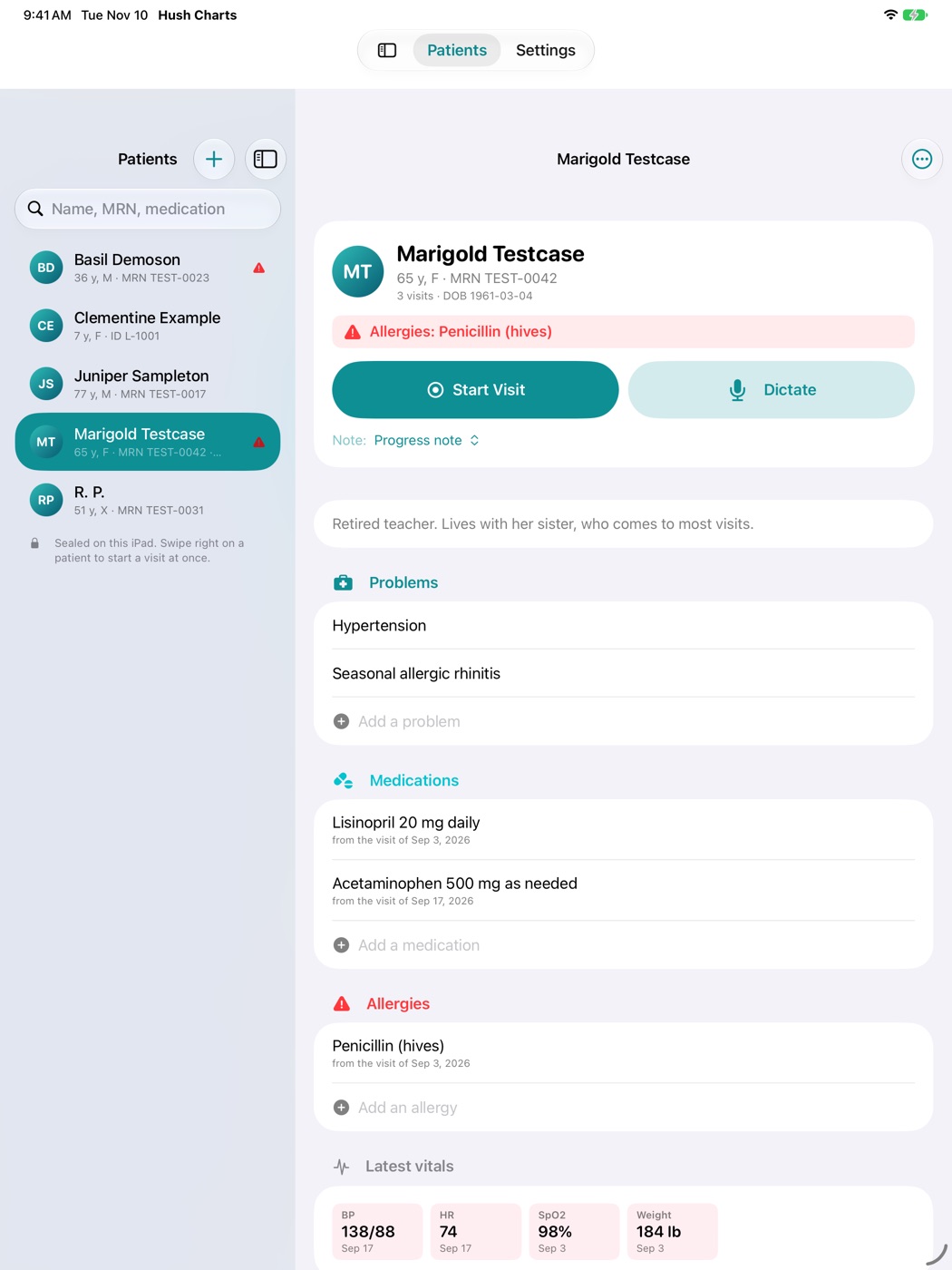
Clinical notes that write themselves, in a chart per patient. Hush Charts listens to the visit, writes the note and files it in the chart, all on your Mac, iPhone or iPad. Nothing is uploaded.
For Mac (macOS 14 or later), iPhone and iPad (iOS 26 or later). US$79.99 once, for all three: no account, no subscription, no fee per clinician. Coming soon to the App Store.
How it works
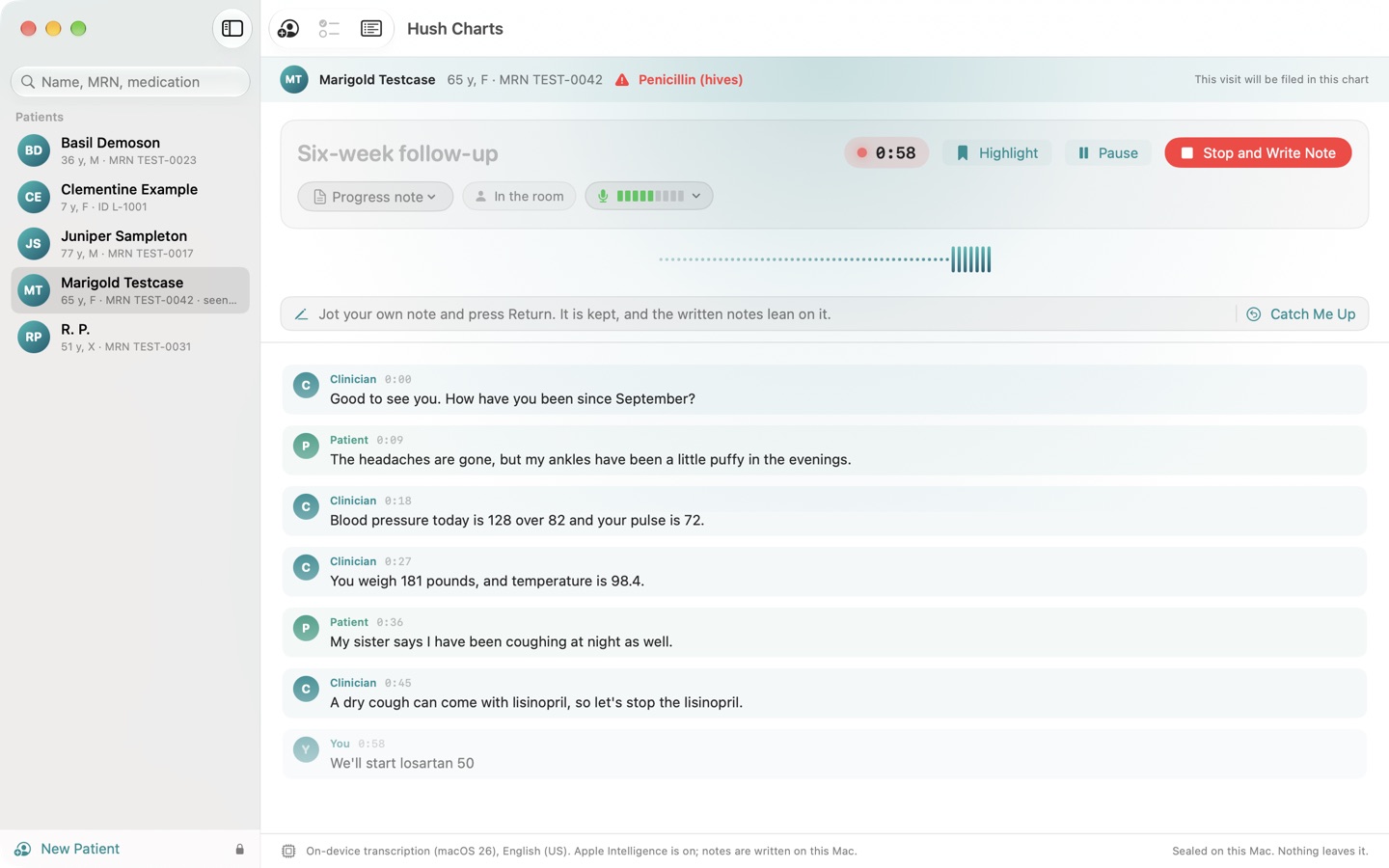
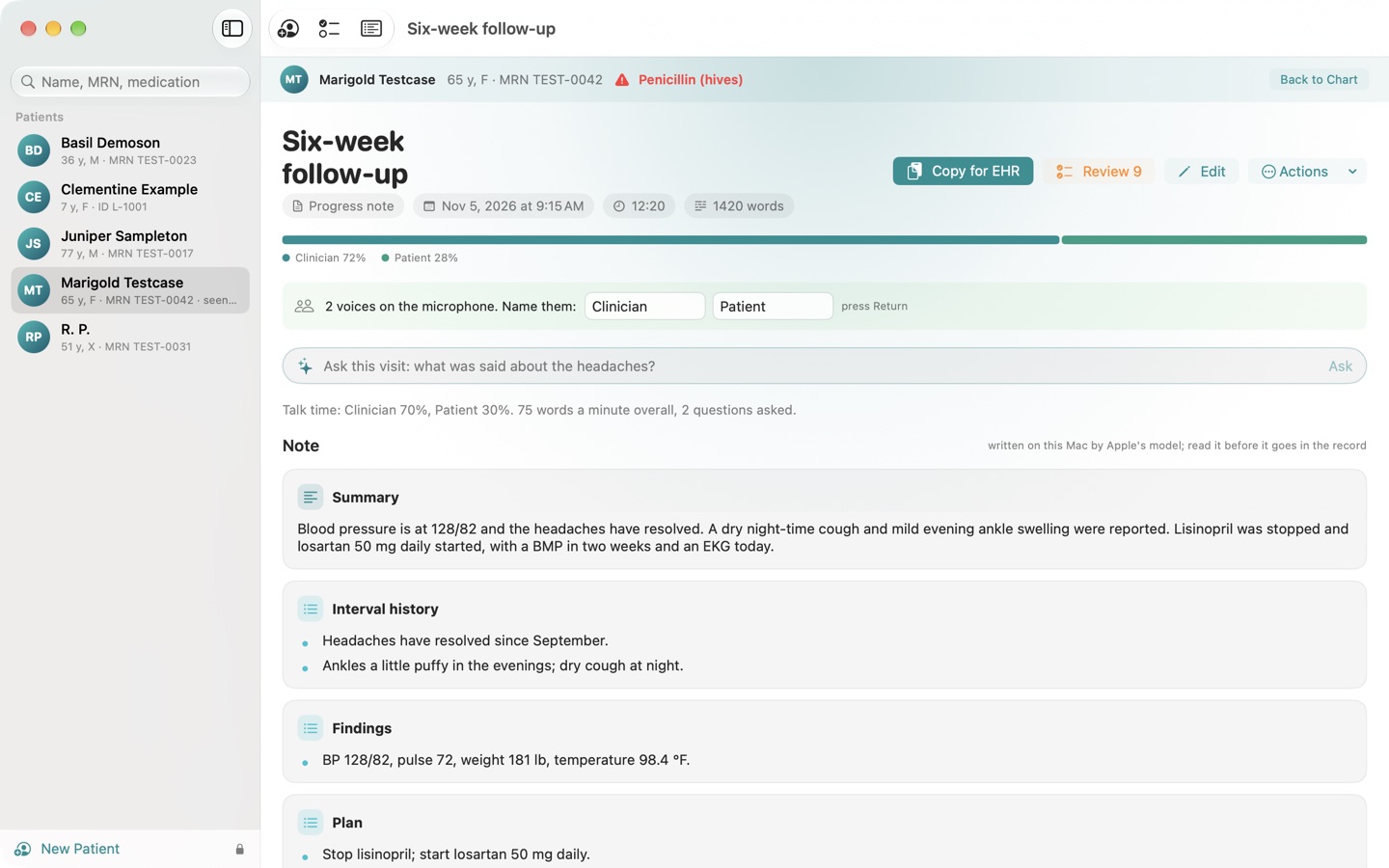
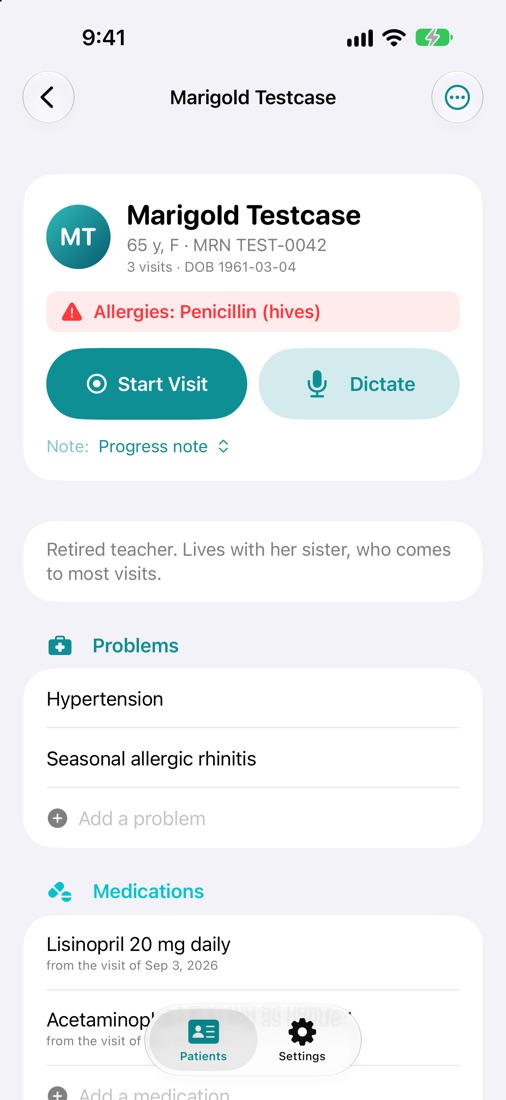
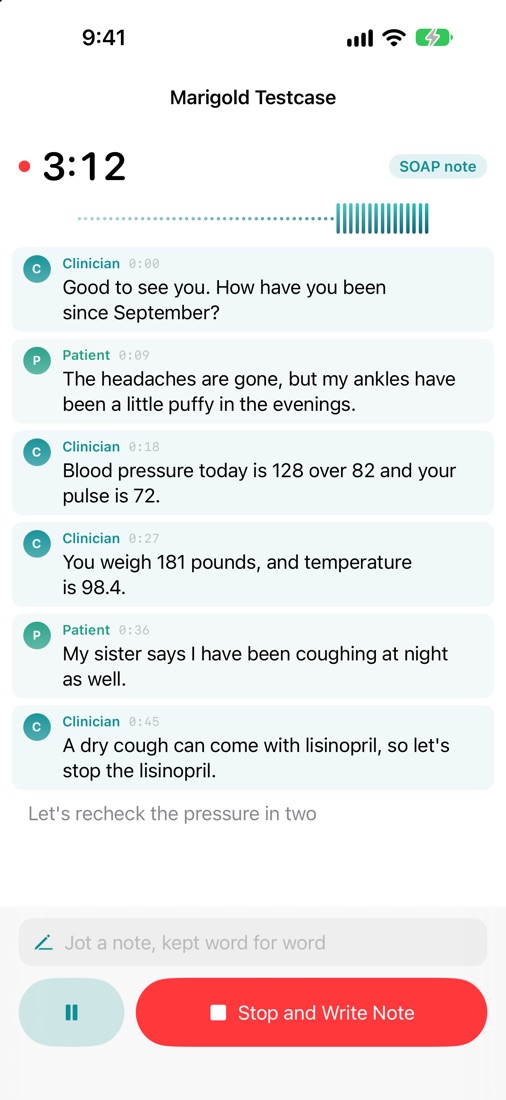
- Pick the patient and start the visit, or dictate a note afterwards. SOAP note, history and physical, progress note, nursing note, procedure note, discharge summary, phone call, brief note, or a kind of your own.
- The note writes itself when you stop, from what was said and nothing else, with Apple's on-device model.
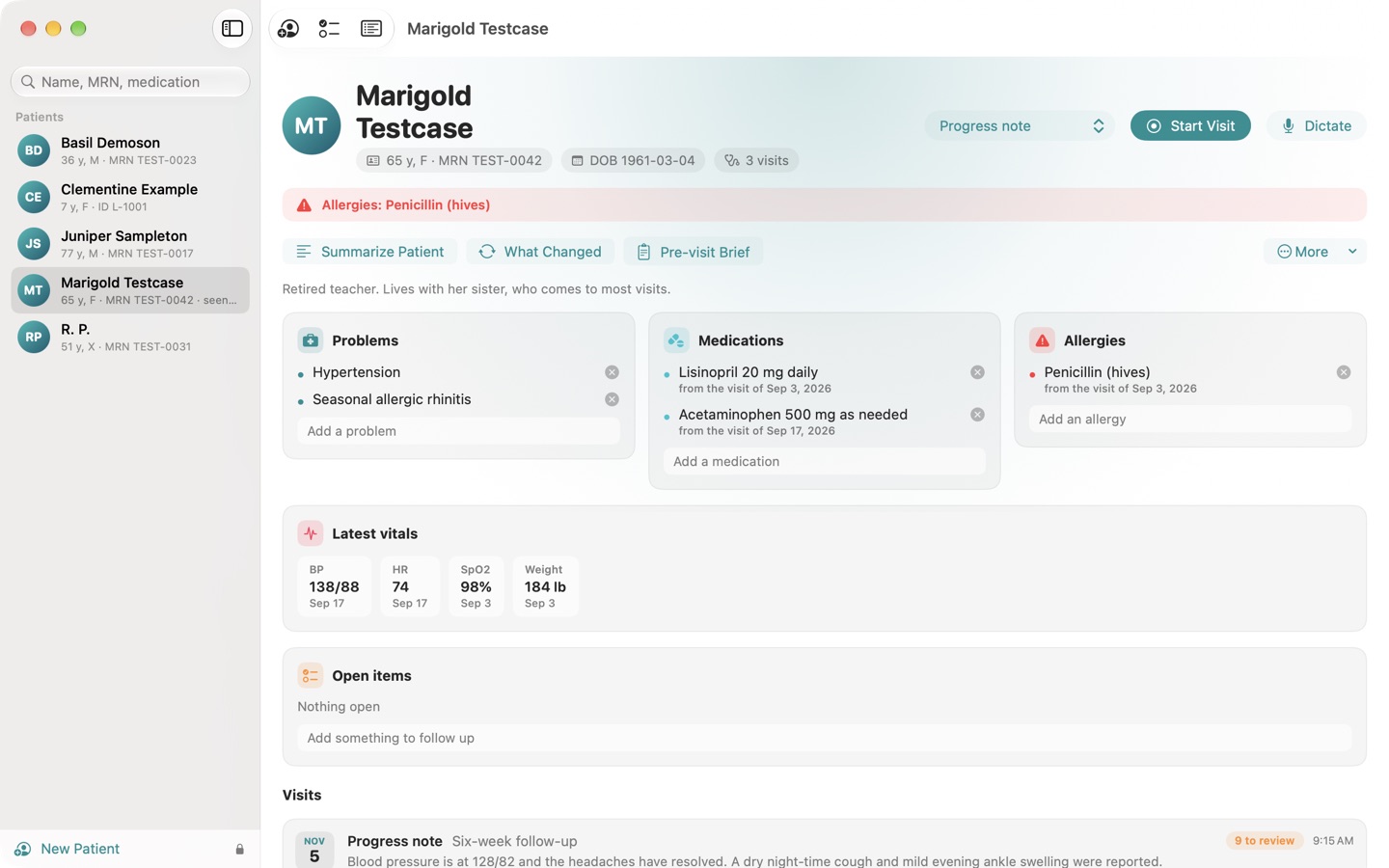
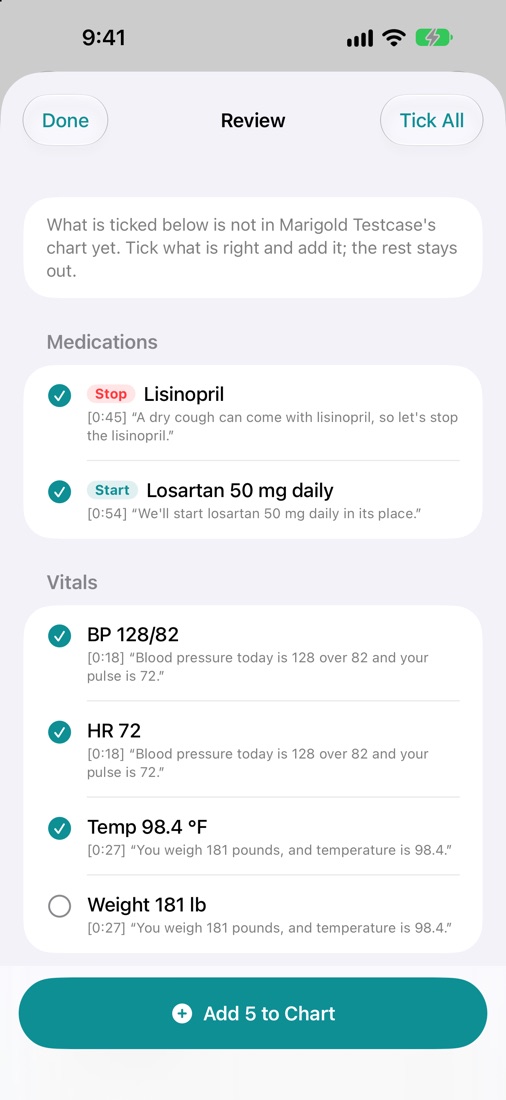
- Nothing enters the chart until you say so. Medications, allergies, vitals, orders and follow-ups heard in the visit are listed with the sentence each came from. Tick what is right and add it; the rest stays out.
- The patient over time: Summarize Patient, What Changed and Pre-visit Brief, each line ending with the visit it came from.
- Copy for EHR puts the note on the clipboard as plain text, with the patient's name, record number and date of birth left out unless you ask for them. The clipboard clears itself.
Designed for HIPAA-minded practices
- No network, no account, no analytics. The App Store version makes no network connection at all.
- Encrypted. Every chart, transcript and note is encrypted before it is written, with a key kept in the device's Keychain. On iPhone and iPad the files cannot be read at all while the device is locked, and they are never backed up or put in iCloud.
- Locked. Touch ID or Face ID opens the app, and it locks itself when you step away. No audio is kept.
- An audit log records who opened which chart and when, with each entry chained to the one before it.
Hush Charts makes no compliance claim; whether it fits your obligations is for your practice to decide. It is a documentation aid, not a medical device and not an EHR: it does not diagnose, recommend treatment or check doses. Read every note before it goes into a record, and tell patients when a visit is recorded.
Written notes are best with Apple Intelligence turned on (macOS 26 or iOS 26); without it, simpler rules pick out the note. On a Mac it can also hear the other side of a video visit, with the Screen Recording permission; an iPhone or iPad records the room it is in. Charts stay on the device they were made on.
Privacy
Hush Charts records, transcribes and writes on your Mac, iPhone or iPad and nowhere else. There is no account, no analytics and no advertising, and the App Store lists it as Data Not Collected. Read the full Hush Charts privacy policy.
Support
Write to support@hushminutes.com or use the contact form, and say it is about Hush Charts. A person answers. Never send a chart, a note, a transcript or anything about a patient; a description of the problem is enough.
- Nothing is being transcribed. Check Hush Charts is allowed the microphone (on a Mac in System Settings, on iPhone and iPad in Settings, under Privacy and Security, Microphone), and that the level meter moves when you speak.
- A drug name is misheard. Add it under Spelled right in Settings, and fix the note with Edit before you copy it.
- The note is plain. Written notes need Apple Intelligence switched on.
- Charts on a new device. Charts are sealed with a key that stays on the device they were made on, so they do not move to another device except through a full restore of that device.
- Refunds. Purchases are made through Apple, and Apple handles refunds at reportaproblem.apple.com.